 SlimPic
Blurry text in compressed screenshots: JPG, PNG and WebP compared
Last updated November 14, 2026 · written by ew
Say you need to upload a screenshot of a spreadsheet under 100KB, and the form says JPG only. Switch the output to JPG and the result shrinks to 1533px wide, with grey smudges around the 13px text. Left on Auto (WebP), the same file kept its full 1920px width at 99.4KB. This page shows the difference.
PC spreadsheet, 100KB
Original: 1920×1080 PNG, 283KB. Top-left of the table at native pixel size.
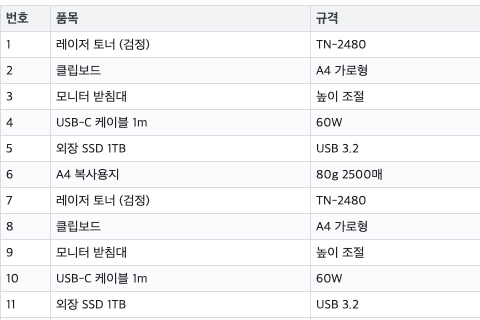
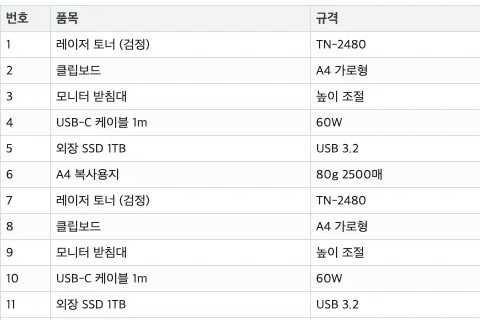
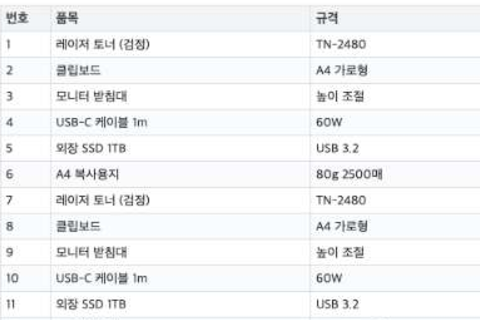
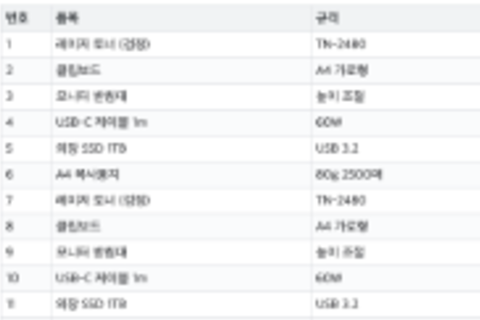
Original, Auto (WebP 99.4KB), JPG (99.4KB, 1533×862), PNG (94.4KB, 731×411).
WebP was almost identical to the original even zoomed in (43.5 dB). JPG stayed readable, but strokes thickened and dense characters got dirty edges (27.1 dB). PNG dropped to 731px wide and was hard to read at the original size (23.4 dB), because shrinking is the only way PNG can lose bytes.
Phone chat capture, 200KB
Original: 1179×2556 PNG, 429KB. Phone text is around 46px tall, so it held up better.
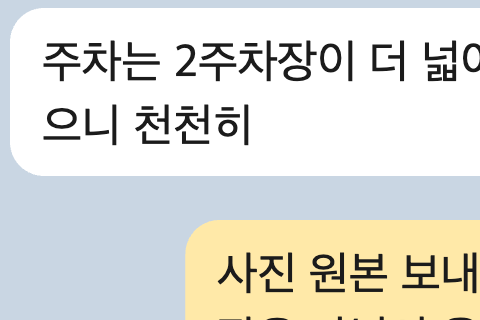
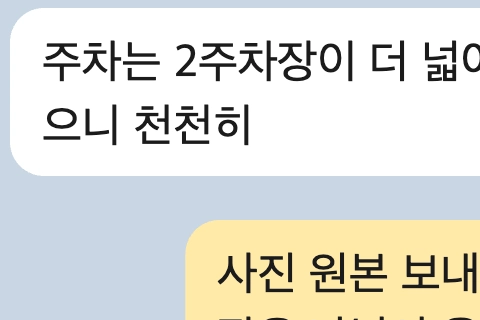
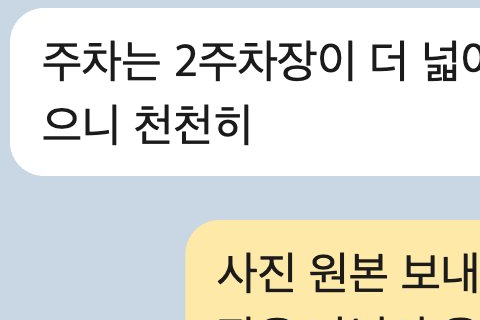
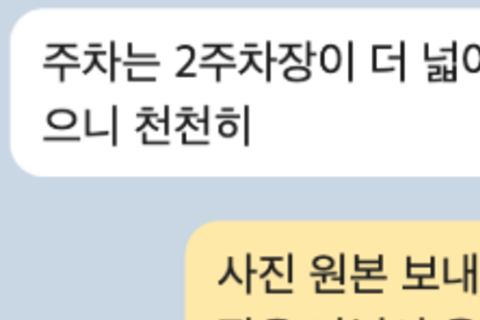
Original, Auto (WebP 175KB), JPG (194KB, quality 0.85), PNG (199KB, 545×1183).
JPG kept the full width; you have to zoom in to see faint specks around the letters. PNG went down to 545×1183 and the text turned soft, though still readable at this size.
Why JPG smears text
JPEG splits the image into 8×8 blocks and keeps gentle changes while trimming sharp ones. Photos hide this well. Black text on white is nothing but sharp changes, so the trimming shows up as halos. Colour is also stored at lower detail than brightness, which is why red text or text on coloured backgrounds smears sooner. When the target forces a resize as well, the strokes themselves thin out or merge.
How to keep text readable
- If the site accepts WebP or PNG, leave the setting on Auto. It held up best here.
- If it has to be JPG, see if you can use a larger target. At 200KB the PC screenshot kept its full width (1920×1080) at quality 0.82, scoring 40.4 dB, far cleaner than at 100KB.
- If you cannot, capture only the part you need. Fewer pixels leave more bytes for each letter. I have not measured this one.
- Do not set a maximum width below the native width. In the resizing comparison, cutting the phone capture to 900px dropped it from 44 dB to 32 dB.
Compressing screenshots in Safari on iPhone
Safari cannot save WebP. Before this update, SlimPic fell back to PNG there and the 200KB phone capture shrank to 617px wide. It now uses JPG when nothing is transparent, and in Playwright’s WebKit the capture kept 1179px. I have not yet measured on a real iPhone.
Sending a screenshot through a chat app
Messaging apps such as KakaoTalk recompress photos according to their own quality setting. I have not measured what they do, but compressing a screenshot first and letting the app compress it again stacks the losses. For chat, sending the original is often better.